Hello,
Can SadTalker work with the NVIDIA GeForce RTX 5060 Ti with 8GB VRAM?
Thank you.
Hello,
Can SadTalker work with the NVIDIA GeForce RTX 5060 Ti with 8GB VRAM?
Thank you.
SadTalker will likely run with 8GB VRAM on low graphics settings. It’s mostly a speed issue. Once it boots up…
However, like all older Python libraries, the surrounding libraries’ maintenance has stopped, so resolving dependencies might be a pain. Especially on 50x0 systems, PyTorch is locked to newer versions only, so that will likely be a hassle.
In such cases, feeding the error message as is to a generative AI can be effective. Alternatively, isolating older Python versions in a virtual environment is the quickest solution.
SadTalker runs on a GeForce RTX 5060 Ti with 8 GB VRAM if you use the 256-px face model and current CUDA-12-series PyTorch. The 512-px model can work too, but start at 256 for stability and headroom. (GitHub)
--size 256|512. Use 256 first to minimize memory; 512 is heavier. The official Space UI also defaults to 256. (GitHub)Use a clean env, install PyTorch first, then SadTalker.
# 0) New environment
conda create -n sadtalker python=3.10 -y
conda activate sadtalker

# 1) Install PyTorch that matches your driver (CUDA 12.x)
# Use the official selector and copy the command it shows for your OS/CUDA.
# https://pytorch.org/get-started/locally/
pip install torch torchvision torchaudio --index-url https://download.pytorch.org/whl/cu128  # example: CUDA 12.8

# 2) Get SadTalker
git clone https://github.com/OpenTalker/SadTalker.git  # repo: https://github.com/OpenTalker/SadTalker
cd SadTalker
pip install -r requirements.txt
bash scripts/download_models.sh

# 3) First run: lowest VRAM footprint
python inference.py \
  --source_image face.png \
  --driven_audio voice.wav \
  --size 256 \             # release notes mention 256/512  # https://github.com/OpenTalker/SadTalker/releases
  --preprocess crop \      # keep crops tight
  --result_dir results
Why this works: PyTorch’s current wheels target CUDA-12.x (e.g., cu126/cu128), which covers new-generation GPUs. SadTalker’s 256-px face model is explicitly supported and lighter. (PyTorch)
Keep --size 256 and batch size = 1. Try 512 only after 256 is stable. (GitHub)
Turn enhancers (e.g., GFPGAN) off during generation; run them afterward if needed.
If you use the AUTOMATIC1111/Forge extension, expect more VRAM use than the standalone CLI; close other heavy extensions. (GitHub)
If you hit borderline OOM, set the PyTorch allocator hint before launching:
export PYTORCH_CUDA_ALLOC_CONF=max_split_size_mb:128set PYTORCH_CUDA_ALLOC_CONF=max_split_size_mb=128pip install -r requirements.txt, pin numpy<2 and retry. This resolves many SadTalker reports where libs were built against NumPy 1.x. (GitHub)Core docs and knobs
--size 256|512, preprocess modes). (GitHub)Cloud options
Troubleshooting
Bottom line: With an RTX 5060 Ti 8 GB you can run SadTalker today. Use PyTorch CUDA-12.x, start at --size 256, keep batch=1 and enhancers off, then scale up only if memory allows. (PyTorch)
Hello,
Can I use SadTalker on ComfyUI?
Seems barely you can…?
Hello,
Do I need to manually create the customـnodes\Comfyui-SadTalker\SadTalker\checkpoint\ and (comfyui root)\gfpgan\weights\ directories?
How do I install the program?
Probably just install it like this…? I’m not a ComfyUI user, so I don’t really know…
Here’s a setup for Comfyui-SadTalker in ComfyUI.
Install or open ComfyUI
python main.py. (ComfyUI)Install the Comfyui-SadTalker node
Method A: ComfyUI-Manager (recommended): In ComfyUI click Manager → Install Custom Nodes, search Comfyui-SadTalker, click Install, then Restart. (GitHub)
Method B: Manual clone:
# Windows PowerShell or macOS/Linux terminal
cd /path/to/ComfyUI/custom_nodes
git clone https://github.com/haomole/Comfyui-SadTalker.git
You should now have ComfyUI/custom_nodes/Comfyui-SadTalker/. (GitHub)
Add the four SadTalker model files
Create this folder if missing:
ComfyUI/custom_nodes/Comfyui-SadTalker/SadTalker/checkpoints/
Put all four files in it:
SadTalker_V0.0.2_256.safetensors
SadTalker_V0.0.2_512.safetensors
mapping_00109-model.pth.tar
mapping_00229-model.pth.tar
These names and this path are listed in the node README. Download them from the SadTalker Releases page. (GitHub)
Add the GFPGAN/facexlib weights
Create this folder if missing:
ComfyUI/gfpgan/weights/
Put these files inside:
GFPGANv1.4.pth
alignment_WFLW_4HG.pth
detection_Resnet50_Final.pth
parsing_parsenet.pth
facexlib publishes the alignment/detection/parsing weights; GFPGAN v1.4 is provided by TencentARC. (GitHub)
Install FFmpeg and verify PATH
ffmpeg executable is on PATH.ffmpeg -version. The node’s README points to PATH errors if FFmpeg is missing. (ffmpeg.org)Restart ComfyUI
Load the sample workflow and test
Comfyui-SadTalker/workflow/.Low-VRAM defaults for an 8 GB GPU
Where the files come from (for double-checking):
Hmm… The necessary prerequisite programs or data are missing or cannot be found (especially common in Windows environments), the versions are incompatible (too new or too old), or they are not installed correctly…
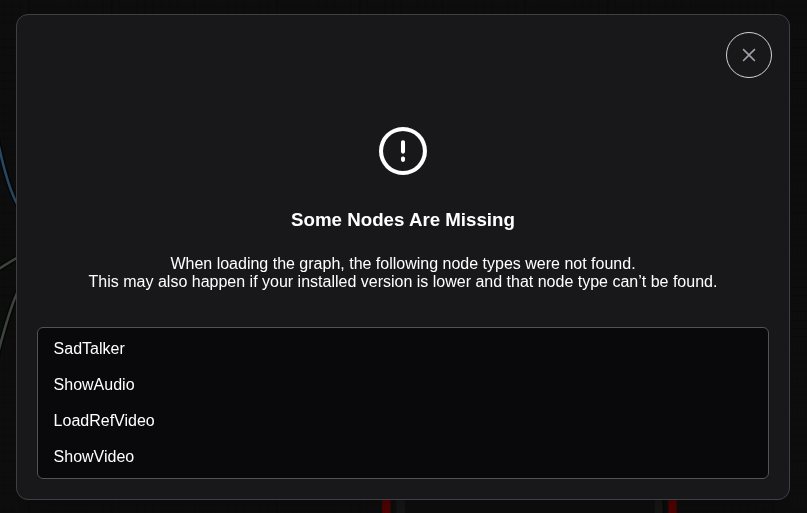
You opened a workflow that references nodes your ComfyUI does not have loaded. The pop-up lists them: SadTalker, ShowAudio, LoadRefVideo, ShowVideo, ShowText. In ComfyUI, a “missing node” means the custom node that defines that class is not installed or failed to import. Fix = install the right custom nodes, their weights and Python deps, ensure FFmpeg is available, then restart.
Update ComfyUI
Update to a recent build, then restart. Older builds trigger the “audio undefined” issue with the SadTalker node. (GitHub)
Use ComfyUI-Manager to install what the workflow needs
Open Manager → Install Custom Nodes, search and install:
Put the SadTalker model files in the exact folder it expects
Create the folder if missing:
ComfyUI/custom_nodes/Comfyui-SadTalker/SadTalker/checkpoints/
Place all four files:
SadTalker_V0.0.2_256.safetensors
SadTalker_V0.0.2_512.safetensors
mapping_00109-model.pth.tar
mapping_00229-model.pth.tar
These names and the path come from the node’s README. The official SadTalker Releases page hosts these exact assets. (GitHub)
Put the GFPGAN/facexlib weights where ComfyUI looks for them
Create: ComfyUI/gfpgan/weights/
Add:
GFPGANv1.4.pth
alignment_WFLW_4HG.pth
detection_Resnet50_Final.pth
parsing_parsenet.pth
The SadTalker README points to this folder, and facexlib/GFPGAN publish the canonical weights. (GitHub)
Install Python dependencies for the SadTalker node
In the same Python env ComfyUI uses:
cd /path/to/ComfyUI/custom_nodes/Comfyui-SadTalker
pip install -r requirements.txt
This resolves import errors that keep the node from loading. (The repo ships the requirements file.) (GitHub)
Install FFmpeg and verify PATH
FFmpeg is required by VHS (VideoHelperSuite) to mux audio when combining frames to MP4. After installation, verify with: ffmpeg -version. If missing, video save nodes will fail. (GitHub)
Restart ComfyUI fully
Close the server, relaunch, and reload the workflow. If a node type still shows missing, run Manager → Install Missing Custom Nodes again. (ComfyUI Official Documentation)
Some workflows use differently named video-loader nodes. If LoadRefVideo stays missing, replace it with VHS → Load Video or Load Video (Path) from VideoHelperSuite; they provide equivalent video-to-frames I/O in most graphs. (GitHub)
ffmpeg -version prints a version and VHS nodes can save video with audio. (GitHub)SadTalker_V0.0.2_256/512.safetensors, mapping_00109/00229 assets. (GitHub)Thanks again.
Unfortunately, there is no such thing as Comfyui-SadTalker:
About the files and directories:
$ pwd
/home/localai/comfy/ComfyUI/custom_nodes/Comfyui-SadTalker/SadTalker/checkpoints
localai@LocalAI:~/comfy/ComfyUI/custom_nodes/Comfyui-SadTalker/SadTalker/checkpoints$ ls
mapping_00109-model.pth.tar mapping_00229-model.pth.tar SadTalker_V0.0.2_256.safetensors SadTalker_V0.0.2_512.safetensors
And:
$ pwd
/home/localai/comfy/ComfyUI/gfpgan/weights
localai@LocalAI:~/comfy/ComfyUI/gfpgan/weights$ ls
alignment_WFLW_4HG.pth detection_Resnet50_Final.pth GFPGANv1.4.pth parsing_parsenet.pth
The ffmpeg version is:
$ ffmpeg -version
ffmpeg version 7.1.2-0+deb13u1 Copyright (c) 2000-2025 the FFmpeg developers
built with gcc 14 (Debian 14.2.0-19)
The problem was not solved.
Hmm…
Your weights and FFmpeg are fine. The node pack itself isn’t loading, and your workflow also references nodes that live in other packs. Fix it in this order.
cd ~/comfy/ComfyUI
python3 main.py
If a custom node fails, ComfyUI prints a ModuleNotFoundError or similar during “loading custom nodes…”. This is the fastest way to see what dependency is missing. (GitHub)
cd ~/comfy/ComfyUI/custom_nodes
# if you already cloned it, pull; otherwise clone it
[ -d Comfyui-SadTalker ] && (cd Comfyui-SadTalker && git pull) || git clone https://github.com/haomole/Comfyui-SadTalker.git
The repo is the correct one. (GitHub)
cd ~/comfy/ComfyUI/custom_nodes/Comfyui-SadTalker
python3 -m pip install -r requirements.txt
This repo ships a requirements.txt; installing it fixes most import failures. (GitHub)
cd ~/comfy/ComfyUI/custom_nodes
git clone https://github.com/Kosinkadink/ComfyUI-VideoHelperSuite.git
git clone https://github.com/fairy-root/ComfyUI-Show-Text.git   # or: pythongosssss/ComfyUI-Custom-Scripts
# VHS deps:
cd ComfyUI-VideoHelperSuite
python3 -m pip install -r requirements.txt
~/comfy/ComfyUI/custom_nodes/Comfyui-SadTalker/SadTalker/checkpoints/ → SadTalker_V0.0.2_256.safetensors, SadTalker_V0.0.2_512.safetensors, mapping_00109-model.pth.tar, mapping_00229-model.pth.tar. (GitHub)~/comfy/ComfyUI/gfpgan/weights/ → GFPGANv1.4.pth, alignment_WFLW_4HG.pth, detection_Resnet50_Final.pth, parsing_parsenet.pth. (GitHub)ffmpeg -version
VHS passes ffmpeg arguments for video formats and advanced previews. Your version 7.1 is fine. (GitHub)
pip install any module it complains about.Thank you so much.
I restart ComfyUI and got the following error:
…
0.0 seconds (IMPORT FAILED): /home/localai/comfy/ComfyUI/custom_nodes/comfyui-minimal-workflow-image
0.0 seconds: /home/localai/comfy/ComfyUI/custom_nodes/comfyui-text-randomizer
0.0 seconds: /home/localai/comfy/ComfyUI/custom_nodes/comfyui-show-text
0.0 seconds: /home/localai/comfy/ComfyUI/custom_nodes/ComfyUI-GGUF
0.0 seconds (IMPORT FAILED): /home/localai/comfy/ComfyUI/custom_nodes/Comfyui-SadTalker
0.0 seconds (IMPORT FAILED): /home/localai/comfy/ComfyUI/custom_nodes/ComfyUI-Vaja-Ai4thai
0.0 seconds: /home/localai/comfy/ComfyUI/custom_nodes/ComfyUI-Custom-Scripts
0.0 seconds: /home/localai/comfy/ComfyUI/custom_nodes/comfyui_ultimatesdupscale
0.0 seconds: /home/localai/comfy/ComfyUI/custom_nodes/comfyui-impact-subpack
0.0 seconds: /home/localai/comfy/ComfyUI/custom_nodes/comfyui-ollama-describer
0.1 seconds: /home/localai/comfy/ComfyUI/custom_nodes/ComfyUI-Manager
0.1 seconds: /home/localai/comfy/ComfyUI/custom_nodes/ComfyUI-Impact-Pack
0.1 seconds: /home/localai/comfy/ComfyUI/custom_nodes/ComfyUI-Copilot
0.2 seconds: /home/localai/comfy/ComfyUI/custom_nodes/comfyui-videohelpersuite
0.2 seconds: /home/localai/comfy/ComfyUI/custom_nodes/ComfyUI_fsdymy
0.2 seconds: /home/localai/comfy/ComfyUI/custom_nodes/ComfyUI-Easy-Use
0.4 seconds: /home/localai/comfy/ComfyUI/custom_nodes/ComfyUI-Text
0.5 seconds: /home/localai/comfy/ComfyUI/custom_nodes/ComfyUI-WanVideoWrapper
0.6 seconds: /home/localai/comfy/ComfyUI/custom_nodes/ComfyUI-SwissArmyKnife

Context impl SQLiteImpl.
Will assume non-transactional DDL.
No target revision found.
Starting server

To see the GUI go to: http://172.21.50.69:8188
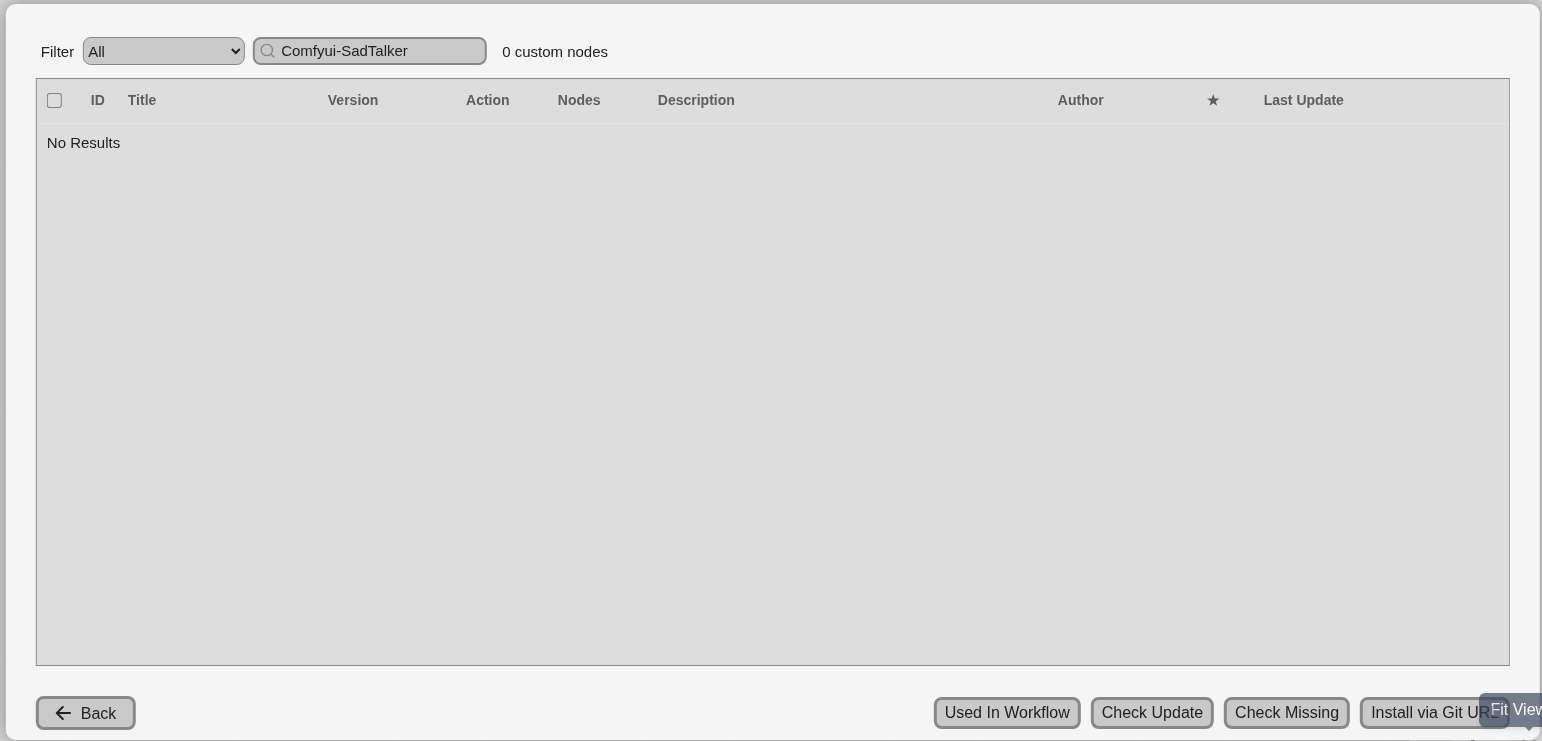
I tried to install Comfyui-SadTalker via the Install via Git URL option but I got the following error:
This action is not allowed with this security level configuration.
And about the dependencies:
$ python3 -m pip install -r requirements.txt
Collecting numpy==1.23.4 (from -r requirements.txt (line 1))
Using cached numpy-1.23.4.tar.gz (10.7 MB)
Installing build dependencies … done
Getting requirements to build wheel … error
error: subprocess-exited-with-error

× Getting requirements to build wheel did not run successfully.
│ exit code: 1
╰─> [32 lines of output]
Traceback (most recent call last):
File “/home/localai/ComfyUI/comfy-env/lib/python3.13/site-packages/pip/_vendor/pyproject_hooks/_in_process/_in_process.py”, line 389, in
main()
~~~~^^
File “/home/localai/ComfyUI/comfy-env/lib/python3.13/site-packages/pip/_vendor/pyproject_hooks/_in_process/_in_process.py”, line 373, in main
json_out[“return_val”] = hook(**hook_input[“kwargs”])
~~~~^^^^^^^^^^^^^^^^^^^^^^^^
File “/home/localai/ComfyUI/comfy-env/lib/python3.13/site-packages/pip/_vendor/pyproject_hooks/_in_process/_in_process.py”, line 137, in get_requires_for_build_wheel
backend = _build_backend()
File “/home/localai/ComfyUI/comfy-env/lib/python3.13/site-packages/pip/_vendor/pyproject_hooks/_in_process/_in_process.py”, line 70, in _build_backend
obj = import_module(mod_path)
File “/usr/lib/python3.13/importlib/init.py”, line 88, in import_module
return _bootstrap._gcd_import(name[level:], package, level)
~~~~~~~~~~~~~~~~~~~~~~^^^^^^^^^^^^^^^^^^^^^^^^^^^^^^
File “”, line 1387, in _gcd_import
File “”, line 1360, in _find_and_load
File “”, line 1310, in _find_and_load_unlocked
File “”, line 488, in _call_with_frames_removed
File “”, line 1387, in _gcd_import
File “”, line 1360, in _find_and_load
File “”, line 1331, in _find_and_load_unlocked
File “”, line 935, in _load_unlocked
File “”, line 1026, in exec_module
File “”, line 488, in _call_with_frames_removed
File “/tmp/pip-build-env-4se_n3yz/overlay/lib/python3.13/site-packages/setuptools/init.py”, line 16, in
import setuptools.version
File “/tmp/pip-build-env-4se_n3yz/overlay/lib/python3.13/site-packages/setuptools/version.py”, line 1, in
import pkg_resources
File “/tmp/pip-build-env-4se_n3yz/overlay/lib/python3.13/site-packages/pkg_resources/init.py”, line 2172, in
register_finder(pkgutil.ImpImporter, find_on_path)
^^^^^^^^^^^^^^^^^^^
AttributeError: module ‘pkgutil’ has no attribute ‘ImpImporter’. Did you mean: ‘zipimporter’?
[end of output]

note: This error originates from a subprocess, and is likely not a problem with pip.
ERROR: Failed to build ‘numpy’ when getting requirements to build wheel
As of today, Python 3.13 is a landmine when using generative AI-related software. Library compatibility is still poor. This isn’t limited to ComfyUI… Python 3.10-3.12 is recommended.
While newer Python versions seem to offer better execution speed, it’s meaningless if it doesn’t work.
Root cause: your ComfyUI runtime is Python 3.13, but the Comfyui-SadTalker node pins numpy==1.23.4. NumPy 1.23.x has wheels for Python ≤3.11, not for 3.12/3.13, so pip tries to build from source and crashes because Python ≥3.12 removed pkgutil.ImpImporter which old build tooling still touches. Result: “IMPORT FAILED” for Comfyui-SadTalker and a numpy build error. (PyPI)
Secondary blocker: ComfyUI-Manager refused “Install via Git URL” due to its security level. You must lower it temporarily to install or fix nodes. (GitHub)
Also note: the Comfyui-SadTalker README says it was built against an older ComfyUI build and may not be adapted to “new versions,” so running it on modern ComfyUI requires a compatible Python and deps. (GitHub)
Do not reuse the 3.13 env.
Debian/Ubuntu approach
# install Python 3.11 and venv (if not present)
sudo apt-get update
sudo apt-get install -y python3.11 python3.11-venv

# create a fresh env for ComfyUI
cd ~/comfy/ComfyUI
python3.11 -m venv ~/comfy/venvs/comfy311
source ~/comfy/venvs/comfy311/bin/activate

# base ComfyUI deps
python -m pip install -U pip setuptools wheel
python -m pip install -r requirements.txt
If apt can’t give you 3.11 use pyenv quickly:
curl https://pyenv.run | bash
export PATH="$HOME/.pyenv/bin:$PATH"; eval "$(pyenv init -)"; eval "$(pyenv virtualenv-init -)"
pyenv install 3.11.9
pyenv virtualenv 3.11.9 comfy311
pyenv activate comfy311
cd ~/comfy/ComfyUI
python -m pip install -U pip setuptools wheel
python -m pip install -r requirements.txt
Why 3.11: NumPy 1.23.4 has prebuilt wheels for Python 3.8–3.11, so installs cleanly. (PyPI)
Edit Manager config and restart ComfyUI.
Open: ~/comfy/ComfyUI/user/default/ComfyUI-Manager/config.ini
Set:
[default]
security_level = weak
Save, restart ComfyUI, then in Manager click Check Missing on the SadTalker node to auto-install its Python requirements. Revert security_level to normal after installing. (GitHub)
If you can’t edit through the UI, edit the file on disk at the same path and restart. (GitHub)
You already placed the model files correctly. Now finish Python deps in the 3.11 venv:
# still inside comfy311 venv
# SadTalker node deps
python -m pip install -r custom_nodes/Comfyui-SadTalker/requirements.txt

# Video + audio helpers often used by the workflow
python -m pip install -r custom_nodes/comfyui-videohelpersuite/requirements.txt
python -m pip install imageio-ffmpeg
VideoHelperSuite and SadTalker expect a working ffmpeg in PATH; your system ffmpeg 7.x is fine. If nodes still complain, ensure which ffmpeg returns a path visible to the venv, or install OS ffmpeg. (GitHub)
# 1) confirm Python and NumPy versions
python - << 'PY'
import platform, numpy; print("Python", platform.python_version(), "NumPy", numpy.__version__)
PY
# Expect: Python 3.11.x, NumPy 1.23.4 (or 1.23.x)

# 2) start ComfyUI with the 3.11 venv
python main.py --listen 0.0.0.0 --port 8188
Load your SadTalker workflow again. The “Some Nodes Are Missing” list should be gone once Comfyui-SadTalker and display nodes load.
numpy==1.23.4 is too old for Python 3.12/3.13, so pip tried to build from source and hit the Python 3.12+ removal of pkgutil.ImpImporter, yielding the exact error you pasted. Using Python 3.11 resolves this by using a wheel. (PyPI)weak to install, then restore. (GitHub)pkgutil.ImpImporter, which triggers the pip/setuptools error you saw. (Stack Overflow)security_level fix. (GitHub)If you must stay on Python 3.13, the workaround is to edit custom_nodes/Comfyui-SadTalker/requirements.txt and replace numpy==1.23.4 with numpy>=1.26 and then reinstall. It can work, but it’s unsupported by the node author and may break other pinned deps; 3.11 is the low-risk route. (numpy.org)
Thanks again.
For the previous installation, I followed the following procedure. I added the following lines to the .bashrc file:
export PYENV_ROOT="$HOME/.pyenv"
[[ -d $PYENV_ROOT/bin ]] && export PATH="$PYENV_ROOT/bin:$PATH"
eval "$(pyenv init - bash)"
eval "$(pyenv virtualenv-init -)"
Then:
$ sudo apt install python3 python3-pip python3-venv git
$ python3 -m venv comfy-env
$ source comfy-env/bin/activate
$ pip install comfy-cli
$ comfy install
$ pip install torch torchvision torchaudio --index-url https://download.pytorch.org/whl/cu124
Now I want to install another ComfyUI, but I don’t want it to interfere with the previous one. What is the solution?
Hmm… Like this?
Run a second ComfyUI in its own folder, its own Python venv, and on a different port. You can also share the models/ tree via a symlink to save disk. This keeps both installs isolated.
Below is a clean Linux plan that matches your setup.
Why this works: comfy-cli lets you target a specific install path with --workspace, and you can launch each instance on its own port. (GitHub)
# keep your existing venv untouched
python3.11 -m venv ~/venvs/comfy-sadtalker
source ~/venvs/comfy-sadtalker/bin/activate
pip install -U pip setuptools wheel
pip install comfy-cli
(If python3.11 isn’t present, install it or use pyenv to add 3.11.)
# this will create ~/comfy/sadtalker/ComfyUI
comfy --workspace=~/comfy/sadtalker install
--workspace=<path> installs ComfyUI under that path instead of reusing your first install. (GitHub)
# listen locally and avoid port clash with your first instance
comfy --workspace=~/comfy/sadtalker launch -- --listen 127.0.0.1 --port 8190
--listen and --port are standard ComfyUI server flags; running two instances on different ports is supported. (GitHub)
comfy set-default ~/comfy/sadtalker
# undo later by setting your other workspace as default
The CLI supports selecting which workspace subsequent comfy commands act on. (GitHub)
# inside the new ComfyUI folder
cd ~/comfy/sadtalker/ComfyUI
rm -rf models
ln -s ~/comfy/ComfyUI/models models   # point to your first install's models
ComfyUI’s folder layout includes a top-level models/ directory; a symlink lets both installs see the same checkpoints. (comfyui-wiki.com)
python3.11 -m venv ~/venvs/comfy-sadtalker
source ~/venvs/comfy-sadtalker/bin/activate
git clone https://github.com/comfyanonymous/ComfyUI.git ~/comfy/sadtalker/ComfyUI
cd ~/comfy/sadtalker/ComfyUI
pip install -U pip setuptools wheel
pip install -r requirements.txt
Manual install in its own directory keeps it separate by design. (ComfyUI)
python main.py --listen 127.0.0.1 --port 8190
These flags are the standard way to bind address/port. (Reddit)
Never reuse the same venv. One venv per ComfyUI keeps Python packages isolated. Official docs recommend virtual environments for this reason. (ComfyUI)
Different ports. Keep the first on 8188 and the second on 8190 (or any free port). Running multiple servers on different ports is a common pattern; several users do this. (GitHub)
Use --workspace with comfy-cli so node installs and updates target the right copy. You can check which workspace you’re operating on with comfy which or prefix commands with --workspace=.... (GitHub)
FFmpeg and GPU libs are system-wide and can be shared. Only Python packages and ComfyUI files need isolation.
If you run both concurrently, start each from its own venv and folder:
# terminal A
source ~/venvs/comfy-env/bin/activate
cd ~/comfy/ComfyUI
python main.py --listen 127.0.0.1 --port 8188

# terminal B
source ~/venvs/comfy-sadtalker/bin/activate
cd ~/comfy/sadtalker/ComfyUI
python main.py --listen 127.0.0.1 --port 8190
The --port flag is the only thing you need to avoid collisions. (Reddit)
--listen/--port and the community uses this for multiple instances. (Reddit)Can two ComfyUIs run at the same time? I guess the first ComfyUI is taking over the GPU and the other version can’t run!
Hello,
To make sure there was no interference, I created another username and installed ComfyUI and SadTalker as follows:
$ git clone https://github.com/pyenv/pyenv.git ~/.pyenv
$ git clone https://github.com/pyenv/pyenv-virtualenv.git ~/.pyenv/plugins/pyenv-virtualenv

$ cp ~/.bashrc ~/.bashrc.backup
$ grep -v 'pyenv\|PYENV' ~/.bashrc > ~/.bashrc.temp
$ mv ~/.bashrc.temp ~/.bashrc

$ cat >> ~/.bashrc << 'EOF'
export PYENV_ROOT="$HOME/.pyenv"
export PATH="$PYENV_ROOT/bin:$PATH"
eval "$(pyenv init - bash)"
eval "$(pyenv virtualenv-init -)"
EOF

$ source ~/.bashrc

$ pyenv install 3.11.9
$ pyenv global 3.11.9
$ python3 -m venv comfy-env
$ source comfy-env/bin/activate
$ pip install -U pip setuptools wheel
$ pip install comfy-cli
$ comfy install
$ pip install torch torchvision torchaudio --index-url https://download.pytorch.org/whl/cu124
$ comfy --workspace=~/comfy/sadtalker install
$ comfy --workspace=~/comfy/sadtalker launch -- --listen 172.21.50.69 --port 8190
Now:
(comfy-env) sadtalker@LocalAI:~/comfy$ ls
ComfyUI  sadtalker
Now what are the next steps? Should I create the checkpoints directory?
Yeah. There’s not much point in running them simultaneously. It’s just that you can. What’s important is that you can install two or three separately. Well, you probably wouldn’t use them at the same time anyway…
You can run two ComfyUIs concurrently. They must use different folders, different Python venvs, and different ports. The GPU is shared. If both instances run heavy graphs at the same time, VRAM contention can cause OOM in one or both. One-GPU hosts: stagger jobs or expect queueing. Multi-GPU hosts: pin one ComfyUI process per GPU. (Reddit)
~/comfy/sadtalker/ComfyUI)You already launched on --port 8190. Finish node install and weights, then relaunch.
# in the new workspace
cd ~/comfy/sadtalker/ComfyUI/custom_nodes
git clone https://github.com/haomole/Comfyui-SadTalker
# deps (same venv you launched with)
python -m pip install -r Comfyui-SadTalker/requirements.txt
The repo expects an older ComfyUI but works if deps are satisfied. (GitHub)
# Video I/O + MP4 muxing
git clone https://github.com/Kosinkadink/ComfyUI-VideoHelperSuite
python -m pip install -r ComfyUI-VideoHelperSuite/requirements.txt

# Text display node (if your workflow references ShowText)
git clone https://github.com/fairy-root/ComfyUI-Show-Text
VHS needs a working ffmpeg in PATH; you already have it. (GitHub)
Option A—copy the four model files into the new workspace:
mkdir -p ~/comfy/sadtalker/ComfyUI/custom_nodes/Comfyui-SadTalker/SadTalker/checkpoints
cp ~/comfy/ComfyUI/custom_nodes/Comfyui-SadTalker/SadTalker/checkpoints/* \
   ~/comfy/sadtalker/ComfyUI/custom_nodes/Comfyui-SadTalker/SadTalker/checkpoints/
Option B—symlink to avoid duplication:
mkdir -p ~/comfy/sadtalker/ComfyUI/custom_nodes/Comfyui-SadTalker/SadTalker/checkpoints
ln -s ~/comfy/ComfyUI/custom_nodes/Comfyui-SadTalker/SadTalker/checkpoints/* \
      ~/comfy/sadtalker/ComfyUI/custom_nodes/Comfyui-SadTalker/SadTalker/checkpoints/
Required files in that folder:
SadTalker_V0.0.2_256.safetensors
SadTalker_V0.0.2_512.safetensors
mapping_00109-model.pth.tar
mapping_00229-model.pth.tar
These are the official release assets. (GitHub)
mkdir -p ~/comfy/sadtalker/ComfyUI/gfpgan/weights
# copy or symlink from the other install:
cp ~/comfy/ComfyUI/gfpgan/weights/* ~/comfy/sadtalker/ComfyUI/gfpgan/weights/
# or
ln -s ~/comfy/ComfyUI/gfpgan/weights/* ~/comfy/sadtalker/ComfyUI/gfpgan/weights/
VHS and many face-enhance pipelines assume these standard filenames and location. (GitHub)
# still in your 3.11 venv
comfy --workspace=~/comfy/sadtalker launch -- --listen 172.21.50.69 --port 8190
# or bind locally:
comfy --workspace=~/comfy/sadtalker launch -- --listen 127.0.0.1 --port 8190
CLI flags --listen and --port are standard. (Comfy Docs)
It works, but VRAM is first-come, first-served. One instance doing a large render can starve the second. On a single GPU, prefer one heavy job at a time. Monitor with nvidia-smi. PyTorch allocators do not “pool VRAM” across processes. (PyTorch Forums)
Pin by GPU on multi-GPU hosts. Run one instance per GPU. Use ComfyUI’s device flag or environment variable:
# example: pin instance to GPU 1
CUDA_VISIBLE_DEVICES=1 comfy --workspace=... launch -- --port 8191
Recent builds expose a --cuda-device flag in CLI wrappers as well.
Reserve headroom if needed. Some builds support --reserve-vram to keep a margin for the OS/encoders, but behavior varies; test on your driver.
Production pattern: one ComfyUI process per GPU, each with its own queue; route jobs externally. There is no fair-share scheduler inside a single process.
# In the second venv/workspace
python - << 'PY'
import torch, os
print("CUDA available:", torch.cuda.is_available(), "CUDA:", torch.version.cuda)
print("VISIBLE:", os.environ.get("CUDA_VISIBLE_DEVICES"))
PY

# Confirm nodes are registered
grep -E "custom_nodes|IMPORT FAILED" -n ~/comfy/sadtalker/ComfyUI/log* || true
Install PyTorch wheels that match CUDA 12.x if you haven’t already. Verify torch.cuda.is_available() is True. (GitHub)
Hello,
I copied the files:
$ ls ~/comfy/sadtalker/ComfyUI/custom_nodes/Comfyui-SadTalker/SadTalker/checkpoints
mapping_00109-model.pth.tar  mapping_00229-model.pth.tar  SadTalker_V0.0.2_256.safetensors  SadTalker_V0.0.2_512.safetensors
$
$ ls ~/comfy/sadtalker/ComfyUI/gfpgan/weights
alignment_WFLW_4HG.pth  detection_Resnet50_Final.pth  GFPGANv1.4.pth  parsing_parsenet.pth
And I installed the following sections through Custom Node Manager:
ComfyUI-VideoHelperSuite
ComfyUI-Custom-Scripts
ComfyUI-Show-Text
But I got the same error as before:
I don’t really know about ComfyUI errors… Anyway, since it’s not behaving as expected, it seems best to isolate the problem first.
In cases like this, there’s usually a pitfall somewhere unrelated, and we’re falling into it…
You already did the “data” part correctly (checkpoints + GFPGAN weights).
The remaining problem is code, not files: the SadTalker plugin itself is still not loading, so ComfyUI never registers these node types:
SadTalkerShowAudioLoadRefVideoShowVideoCopying model files does not affect that. To isolate and fix this, you want to debug plugin import step-by-step.
Below is a safe, beginner-friendly debugging procedure.
When ComfyUI shows:
“Some Nodes Are Missing … SadTalker, ShowAudio, LoadRefVideo, ShowVideo”
it means:
On startup, ComfyUI did not register any node with those names.
That happens only if:
The official advice from ComfyUI docs and the SadTalker Reddit thread is:
look at the terminal and find the import error for that custom node. (ComfyUI)
The checkpoints/weights are used later, at runtime. They do not affect whether the node exists or not.
You now have two installs. For debugging, focus on only the new one.
# 1) activate the venv you created for the new ComfyUI
source ~/comfy/comfy-env/bin/activate   # adjust if your venv path is different

# 2) go to the new workspace
cd ~/comfy/sadtalker/ComfyUI
From now on, every pip install and every comfy launch should be run with this venv active.
Still in that directory:
cd ~/comfy/sadtalker/ComfyUI/custom_nodes
ls
You should see Comfyui-SadTalker in the list.
Then:
ls Comfyui-SadTalker
You should see (at least):
SadTalker/nodes/web/workflow/__init__.pyrequirements.txtThis is the layout from the official repo. (GitHub)
If something big is missing (for example __init__.py or nodes/), delete the folder and re-clone:
rm -rf Comfyui-SadTalker
git clone https://github.com/haomole/Comfyui-SadTalker.git
Your checkpoints/weights paths are already correct and can stay as they are; they live under that folder.
Now run ComfyUI from the terminal, not from a desktop launcher:
# venv should still be active
cd ~/comfy/sadtalker
comfy --workspace=~/comfy/sadtalker launch -- --listen 127.0.0.1 --port 8190
On startup you will see a list like:
0.0 seconds: .../custom_nodes/comfyui-videohelpersuite
0.0 seconds: .../custom_nodes/ComfyUI-Show-Text
0.0 seconds (IMPORT FAILED): .../custom_nodes/Comfyui-SadTalker   <-- problem
...
Right above the (IMPORT FAILED) line you will see a Python traceback. For this plugin, a very common one is:
ComfyUI/custom_nodes/Comfyui-SadTalker module for custom nodes:
No module named 'moviepy.editor'
This exact case is reported in a SadTalker ComfyUI Reddit thread with the same “Missing Node Types: SadTalker, ShowAudio, LoadRefVideo, ShowVideo” error. (Reddit)
Whatever text you see just above (IMPORT FAILED) tells you which dependency is missing.
Think of this as “find the first red (IMPORT FAILED) line; read the line or two above; that string is what you must fix”.
moviepy.editorThis is the most common one:
No module named 'moviepy.editor'
Install the exact version the Reddit thread recommends inside your ComfyUI venv:
# venv: comfy-env must be active
cd ~/comfy/sadtalker/ComfyUI/custom_nodes/Comfyui-SadTalker
python -m pip install moviepy==1.0.3
That thread solved the “missing node types” problem by doing exactly this, but using the ComfyUI Python executable on Windows instead; on Linux it’s the same equivalent idea: install moviepy into the ComfyUI environment, not system Python. (Reddit)
For example:
No module named 'librosa'No module named 'soundfile'No module named 'imageio_ffmpeg'Then:
python -m pip install librosa soundfile imageio[ffmpeg]
Or, to be safe, you can use the plugin’s requirements.txt in this venv:
cd ~/comfy/sadtalker/ComfyUI/custom_nodes/Comfyui-SadTalker
python -m pip install -r requirements.txt
This file is provided by the plugin author for exactly this purpose. (GitHub)
If pip install -r ever fails again, install whatever module it complains about manually (same venv), then retry.
After installing dependencies:
cd ~/comfy/sadtalker
comfy --workspace=~/comfy/sadtalker launch -- --listen 127.0.0.1 --port 8190
Check the “Import times for custom nodes” section again. You want to see:
0.0 seconds: .../custom_nodes/Comfyui-SadTalker
(without (IMPORT FAILED) and without a traceback above it).
Official ComfyUI troubleshooting docs also say: if you suspect a custom node, disable others and then re-enable half at a time until you find the broken one. In your case, we already know the broken one (Comfyui-SadTalker), so you use the same idea but focused: fix whatever import error that node prints until it no longer fails. (ComfyUI)
Once Comfyui-SadTalker imports cleanly:
SadTalker.If the plugin loaded, you should see:
SadTalkerShowAudioLoadRefVideoShowVideoand be able to add them to the graph. These node names are defined by this plugin and documented on comfyai.run’s node pages. (ComfyAI)
If you can add them manually, loading the workflow will no longer show the “Some Nodes Are Missing” dialog.
If you ever suspect that a different custom node is interfering (rare, but possible):
Temporarily rename other custom node folders:
cd ~/comfy/sadtalker/ComfyUI/custom_nodes
mv ComfyUI-VideoHelperSuite _ComfyUI-VideoHelperSuite.off
mv ComfyUI-Custom-Scripts  _ComfyUI-Custom-Scripts.off
mv ComfyUI-Show-Text       _ComfyUI-Show-Text.off
# leave only: Comfyui-SadTalker
Restart ComfyUI and see if Comfyui-SadTalker still says (IMPORT FAILED).
This is the same “binary search on custom nodes” method the official docs recommend, just simplified to “test SadTalker alone first”. (ComfyUI)
If it loads fine alone, then some other pack is conflicting and you can re-enable them one by one.
The popup cares about node classes, not model files.
Until Comfyui-SadTalker imports successfully, SadTalker / ShowAudio / LoadRefVideo / ShowVideo do not exist at all.
Your checkpoints and GFPGAN weights are correct.
Those matter later, when the node runs. They will not fix a missing-node error.
Isolation recipe:
(IMPORT FAILED): ...Comfyui-SadTalker.No module named 'moviepy.editor').python -m pip install <that package> inside the ComfyUI venv.(IMPORT FAILED) line.Once that import line is clean, your SadTalker workflow should load without any “Some Nodes Are Missing” dialog.
Hello,
Please take a look at this:
(comfy-env) sadtalker@LocalAI:~/comfy/sadtalker/ComfyUI$ cd ~/comfy/sadtalker/ComfyUI/custom_nodes
(comfy-env) sadtalker@LocalAI:~/comfy/sadtalker/ComfyUI/custom_nodes$ ls
Comfyui-SadTalker
(comfy-env) sadtalker@LocalAI:~/comfy/sadtalker/ComfyUI/custom_nodes$ ls Comfyui-SadTalker
SadTalker
I went into the SadTalker directory and the checkpoints directory was there.